Build better drop-downs
Secret Weapon #009
07 May 2025
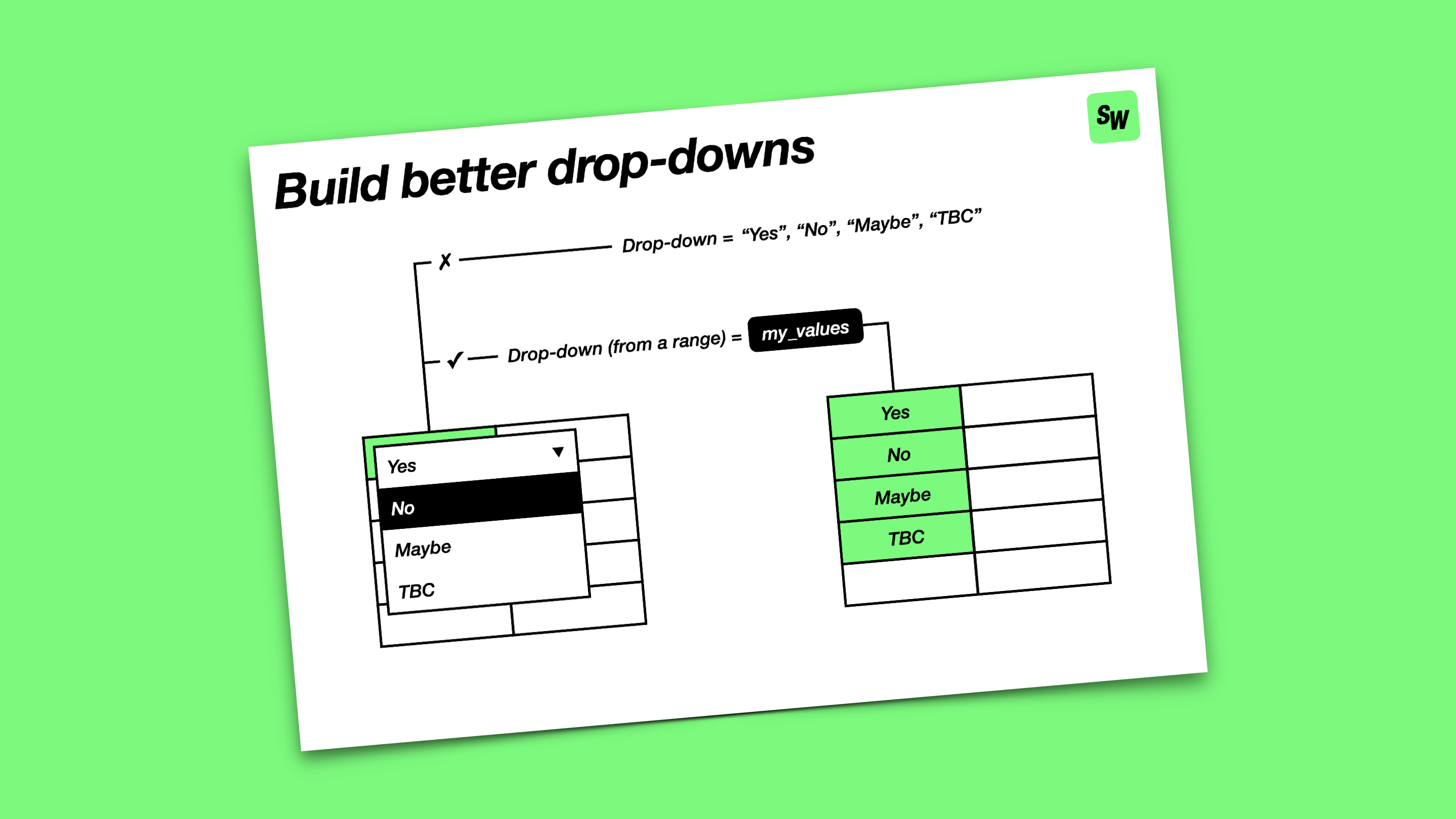
Everyone loves a spreadsheet, especially one with lots of colour-coded drop-downs.
But the fun quickly fades if the way the drop-downs are set up is a hot mess. When other people send me their spreadsheets, poorly implemented drop-downs are one of the first things I look for and fix.
The typical approach is to hard code each drop-down to a list of values. This might be fine for a quick sketch, but can be fragile if you have multiple cells repeating the same list and / or you keep changing what’s in the list. And as you add more drop-downs, staying on top of all the different lists can get pretty tricky.
The better way is to put the values for all your drop-downs into a separate sheet in your workbook, with each value in its own cell and each group of values allocated to a named range. You can then link each drop-down to one of your named ranges to fetch the associated values.
This has two big advantages:
- It’s harder to accidentally mess up one of your drop-downs
- It’s easier to keep track of (and update) the allowed values for all your drop-downs
Robust drop-downs are one of the fundamental ingredients for building awesome spreadsheet-based trackers and dashboards. I’ll be back with more tips for these another time soon.